
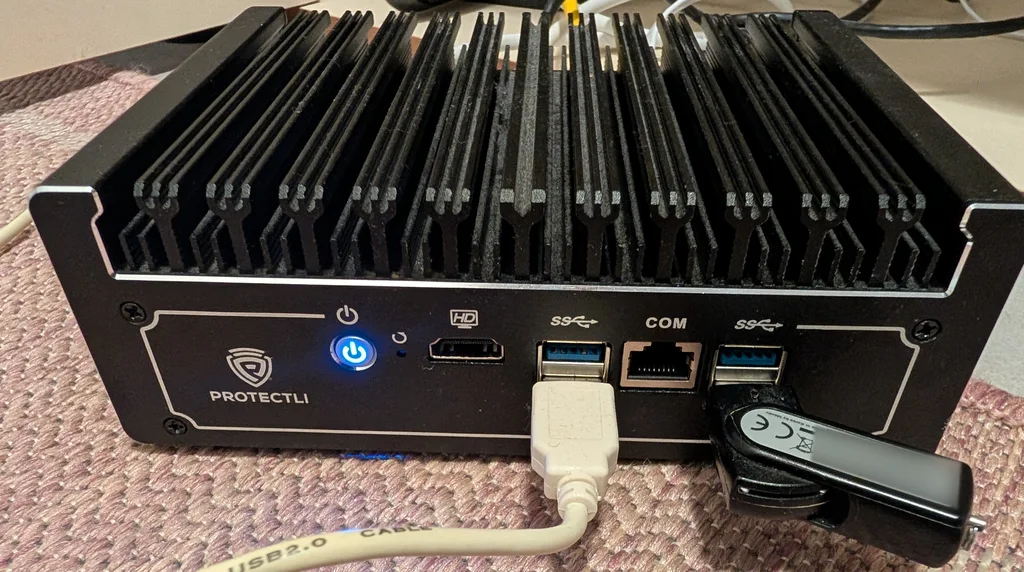
Table of Contents
Every internal service I run speaks TLS. Home Assistant, the Zigbee bridge, the wiki, the document archive: all of them have a certificate, and none of those certificates come from a public CA. The names are internal, the hosts are not reachable from the internet, and I do not want the names of my internal machines in public Certificate Transparency logs.
So there is an internal CA. For a long time “internal CA” meant a directory with a private key in it and a shell script. That works until you think about what the key file is: whoever copies it can mint a trusted certificate for any name my clients will accept, for as long as the CA certificate is valid. A copy leaves no trace, and you can never prove that no copy exists.
This article describes the setup that replaced the directory. The CA software is step-ca from Smallstep, running in a FreeBSD jail. The signing key was generated on a SmartCard-HSM and has never existed outside of one. Certificates are issued over ACME, 30 days at a time, without me doing anything.
All hostnames, domains, addresses, serial numbers and fingerprints in this post are examples. The tools, the options and the output formats are real.
The Chain
There are three levels, and step-ca only owns the middle one.
Certificate Authority (IdM root, RSA 3072, valid until 2043)
  └─ ca.iot.example.com (intermediate, RSA 4096, key on the HSM)
       └─ leaf certificates (ACME: 30 days, manual: up to one year)
The root is the CA of my Identity Management realm. Every enrolled client already trusts it, because ipa-client-install puts it in the system trust store. Hanging the step-ca intermediate under that root has two consequences that I like:
- There is no second root to distribute. A leaf certificate from step-ca validates on every machine that trusts the IdM root, as long as the server sends the intermediate along.
- The intermediate is replaceable. If the HSM is lost, burned or blocked, the root can sign a new intermediate. Clients do not notice, because their trust anchor did not change.
The second point shapes the whole backup discussion further down. An HSM-bound key raises the question of what happens when the hardware dies. With a root above it that I control, the worst case is an afternoon of work.
Why not let IdM issue the leaf certificates directly? It can, and for enrolled hosts it does. The things that need certificates here are mostly not enrolled: appliances, containers, IoT bridges. They speak ACME or nothing. step-ca is a very good ACME server, and it keeps short-lived issuance traffic away from the identity infrastructure.
What an HSM Buys You, and What It Does Not
It is worth being precise here, because “the key is in an HSM” sounds like more than it is.
A hardware security module generates a private key inside itself and offers operations with it: sign this, decrypt that. The key material never crosses the interface. There is no command that returns it. The attributes the card reports for the CA key say exactly that:
Private RSA Key [step-intermediate-key]
        Object Flags   : [0x03], private, modifiable
        Usage          : [0x0E], decrypt, sign, signRecover
        Access Flags   : [0x1D], sensitive, alwaysSensitive, neverExtract, local
        ModLength      : 4096
        Key ref        : 1 (0x01)
        Native         : yes
        Auth ID        : 01
        ID             : 01
local means the key was generated on the card. neverExtract and alwaysSensitive mean it has never been readable and never will be.
What this protects against:
- Theft of the key. A backup tape, a ZFS snapshot, a
tarof the jail, a stolen disk: none of them contain the key. - Silent copies. There is exactly one place where signatures can be made. If the token is in my hand, nobody is signing.
What it does not protect against:
- Use of the key by whoever controls the host. step-ca has to sign without a human present, so the PIN sits in a file next to the configuration. An attacker with root in the jail can ask the HSM to sign anything, for as long as they stay.
That is still a real improvement. A compromise becomes an incident with a beginning and an end. Once the attacker is out, they keep nothing, and every certificate they minted in the meantime expires or can be hunted down in the CA database. With a key file, the incident never ends until the CA certificate does.
The Hardware
The HSM is a SmartCard-HSM from CardContact, in the ID-000 form factor. That is the size of a mini SIM. It sits in an Identiv uTrust 3512, a USB stick that is nothing more than a CCID reader with a SIM slot. Together they look like a small thumb drive. CardContact sells the pair in its own housing.
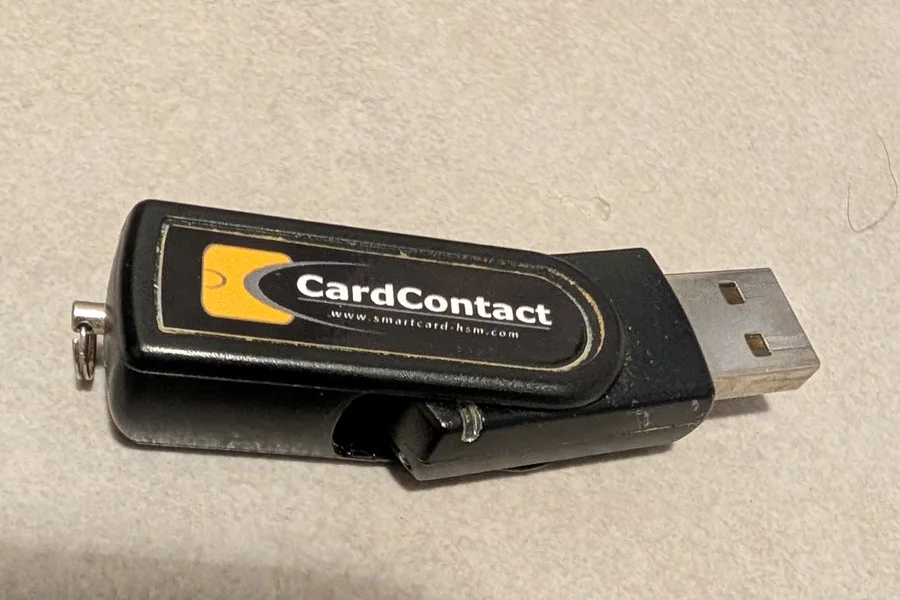
If you read the JavaCard article: this is one of the SmartCard-HSMs from that “rather large order”. Having more than one turned out to matter, because a spare token is part of the backup design.
From the host’s point of view, the stick is an ordinary USB device:
$ usbconfig
ugen0.1: <XHCI root HUB Intel> at usbus0, cfg=0 md=HOST spd=SUPER (5.0Gbps) pwr=SAVE (0mA)
ugen0.2: <uTrust 3512 SAM slot Token SCM Microsystems, Inc.> at usbus0, cfg=0 md=HOST spd=FULL (12Mbps) pwr=ON (76mA)
OpenSC supports the card natively. It shows up as a PKCS#15 card and, through opensc-pkcs11.so, as a PKCS#11 token. That second interface is what step-ca talks to.
Initializing the HSM
Everything about backups is decided in this step, before a single key exists. That is the one thing I would ask you to take away from this article.
The SmartCard-HSM can export keys in encrypted form, wrapped under a Device Key Encryption Key (DKEK). The DKEK is an AES key that you bring to the device in one or more shares. Two devices that received the same DKEK can exchange wrapped keys. A device without your DKEK cannot do anything with the blob.
The catch is the order. The number of DKEK shares is fixed at initialization, the shares have to be imported before keys are generated, and initializing a device again erases everything on it. If you initialize without a DKEK and generate your CA key, that key can never be backed up.
So the sequence is: create the share, initialize the device, import the share, and only then generate keys.
I do this work in /dev/shm on a laptop, not on the CA host. The share file and later the wrapped key then only ever exist in RAM and on the encrypted media I copy them to.
mkdir -m 700 /dev/shm/work && cd /dev/shm/work
sc-hsm-tool --create-dkek-share dkek-share-1.pbe
The tool asks for a password and writes the share encrypted under it. Then the device gets initialized with one expected share:
$ sc-hsm-tool --initialize --dkek-shares 1 --label "HomeLabHSM"
Using reader with a card: Identiv uTrust 3512 SAM slot Token [CCID Interface] (53001234567890) 00 00
Enter SO-PIN (16 hexadecimal characters) :

Enter initial User-PIN (6 - 16 characters) :
Two secrets are set here:
- The SO-PIN is 16 hexadecimal characters. It cannot sign anything. Its only job is to reset a blocked user PIN and to initialize the device again. It has 15 tries and cannot be unblocked itself, so it belongs on paper in a safe place and not on any computer.
- The user PIN unlocks the keys. This is the one step-ca will need.
Then the share goes in:
$ sc-hsm-tool --import-dkek-share dkek-share-1.pbe
Using reader with a card: Identiv uTrust 3512 SAM slot Token [CCID Interface] (53001234567890) 00 00
Enter password to decrypt DKEK share :

Deciphering DKEK share, please wait...
DKEK share imported
DKEK shares          : 1
DKEK key check value : 5B3A9C1E7D204F68
Write the key check value down. It is a fingerprint of the complete DKEK, not a secret. Every device that reports the same value holds the same DKEK, so this is how you tell months later whether a spare token and a backup file belong together.
Calling sc-hsm-tool without arguments shows the state of the device at any time, without a PIN:
$ sc-hsm-tool
Version              : 4.1
Config options       :
  User PIN reset with SO-PIN enabled
SO-PIN tries left    : 15
User PIN tries left  : 3
DKEK shares          : 1
DKEK key check value : 5B3A9C1E7D204F68
Note the User PIN tries left : 3. That number comes back in the caveats.
One Share or Several
I use a single share with a single password. For a homelab with one administrator that is the honest configuration. Splitting a secret between me and myself adds failure modes and no security.
In a team, the same tool supports real key ceremonies. --dkek-shares 3 makes the device wait for three shares held by three people. Each share password can additionally be split with --pwd-shares-threshold and --pwd-shares-total, so that for example any three of five custodians can reconstruct it. Nobody then holds enough to restore the CA key alone.
The Jail
step-ca runs in a thin VNET jail managed by Bastille on the hypervisor that also runs my bhyve guests. If jails are new to you, FreeBSD Foundationals: Jails covers the basics.
doas bastille create -B stepca 15.1-RELEASE 192.0.2.20/24 bridge0
A jail does not see USB devices by default, and that is the correct default. The jail’s /dev is a devfs mount filtered by a ruleset, and the stock jail rulesets hide everything hardware-shaped. The HSM needs a ruleset of its own in /etc/devfs.rules on the host:
[devfsrules_jail_stepca=30]
add include $devfsrules_hide_all
add include $devfsrules_unhide_basic
add include $devfsrules_unhide_login
add include $devfsrules_jail
add include $devfsrules_jail_vnet
add path usbctl unhide
add path usb unhide
add path ugen0.2 unhide
add path 'usb/0.2.*' unhide
The first five lines are what a VNET jail gets anyway. The last four expose the USB control node and exactly one USB device: ugen0.2, the token from the usbconfig output above.
Two of those lines deserve a comment:
add path usb unhideis easy to forget.ugen0.2is only a symlink into theusb/directory, and a pattern likeusb/0.2.*matches entries in that directory but not the directory itself. Without that line the jail showsugen0.2,pcscdstarts without complaint, andpkcs11-tool -LreportsNo slots.- It is tempting to write
ugen*andusb/*and be done. That hands the jail every USB device on the host. On my hypervisor that would include the Zigbee stick of a different jail, and a CA has no business talking to it. The root hubugen0.1is not needed either.
The price for the narrow rule is that 0.2 is an address, not an identity. It follows the order in which the devices are enumerated and can change when sticks are moved between ports. If the token disappears from the jail after a hardware change, usbconfig on the host shows the new number.
Load it and point the jail at it:
doas service devfs restart
doas bastille edit stepca
stepca {
  devfs_ruleset = 30;
  securelevel = 2;
  vnet;
  ...
}
One warning from experience: verify the result. A ruleset number that is referenced in jail.conf but not defined is not an error. It is an empty ruleset, and an empty ruleset hides nothing. The jail then sees the host’s disks, /dev/mem and everything else. Two commands settle it:
doas devfs rule -s 30 show
doas bastille cmd stepca ls /dev
The first must print rules. The second must print a short list without ada0, mem or kmem in it:
crypto fd null pf pts random stderr stdin stdout ugen0.2 urandom usb usbctl zero zfs
I am spelling this out because my own CA jail ran with exactly this mistake for months. Its jail.conf pointed at a ruleset number that was never defined, everything worked, and nothing ever told me that the jail could see the hypervisor’s disks. I only found it while collecting material for this article.
Packages and Services
Inside the jail:
pkg install step-certificates step-cli opensc pcsc-lite libccid polkit
sysrc pcscd_enable=YES dbus_enable=YES
service dbus start
service pcscd start
pcscd is the daemon that owns the reader. libccid is its driver for CCID readers. OpenSC talks to pcscd, and step-ca talks to OpenSC.
One detail saves a custom build: the FreeBSD package of step-ca is compiled with CGO, which is what PKCS#11 support requires. The stock package works with the HSM.
There is one stumbling block left. pcscd asks polkit whether a client may access a card, and step-ca runs as the unprivileged user step. Without a rule, the token is visible to root and invisible to the CA. The fix is a small file, /usr/local/etc/polkit-1/rules.d/50-pcscd.rules:
/* Allow pcscd access for user step */
polkit.addRule(function(action, subject) {
    if (action.id.indexOf("org.debian.pcsc-lite") == 0 &&
        subject.user == "step") {
            return polkit.Result.YES;
    }
});
This is the reason dbus is enabled above. The alternative of putting step into wheel would work as well, and it is exactly the kind of shortcut a CA should not take.
A quick check as the service user:
$ su -m step -c 'pkcs11-tool --module /usr/local/lib/opensc-pkcs11.so -L'
Available slots:
Slot 0 (0x0): Identiv uTrust 3512 SAM slot Token [CCID Interface] (53001234...
  token label        : HomeLabHSM
  token manufacturer : www.CardContact.de
  token model        : PKCS#15 emulated
  token flags        : login required, rng, token initialized, PIN initialized
  hardware version   : 24.13
  firmware version   : 4.1
  serial num         : DECC0100042
  pin min/max        : 6/15
Generating the Key and Getting It Signed
The key pair is generated on the card. There is no intermediate step where it exists in software:
pkcs11-tool --module /usr/local/lib/opensc-pkcs11.so --login \
  --keypairgen --key-type rsa:4096 --id 01 --label step-intermediate-key
RSA 4096 takes the card a while. There was no deep reason for that choice. I typed it without thinking much about it, and an elliptic curve key would have been the lighter option for a smart card. It works, so it stayed.
The user PIN goes into a file that only the service user can read:
install -d -m 700 -o step -g step /usr/local/etc/step/ca/secrets
install -m 400 -o step -g step /dev/null /usr/local/etc/step/ca/secrets/hsm-pin
vi /usr/local/etc/step/ca/secrets/hsm-pin
Next comes a certificate signing request. The step CLI can use the HSM key directly through a PKCS#11 URI, so the CSR is signed by the card:
step certificate create --csr \
  --kms 'pkcs11:token=HomeLabHSM;module-path=/usr/local/lib/opensc-pkcs11.so?pin-source=file:///usr/local/etc/step/ca/secrets/hsm-pin' \
  --key 'pkcs11:id=%01' \
  ca.iot.example.com intermediate.csr
That CSR goes to the root CA, which signs it as a subordinate CA. In IdM a certificate request always belongs to a principal, so the CA host needs a host entry first. The profile that produces a CA certificate is caCACert:
ipa cert-request intermediate.csr \
  --principal=host/ca.iot.example.com \
  --profile-id=caCACert \
  --certificate-out=intermediate_ca.crt
This command does not return a certificate, and that confused me for a while. caCACert is not one of the profiles that IdM manages itself. It is a profile of Dogtag, the CA underneath IdM, and it is not approved automatically. That makes sense: a request for a CA certificate should not go through without a human looking at it. The request lands in Dogtag’s queue and waits there for a CA agent.
The ipa tool has no view of that queue, so the rest happens with Dogtag’s own CLI. First find the pending request:
pki -u admin ca-cert-request-find --status pending
Then approve it by its request ID:
pki -u admin ca-cert-request-review 0x<request id> --action approve
The approval issues the certificate and prints its serial number. That is a different number than the request ID, which cost me a few more minutes. With the serial, the certificate can be written to a file:
pki -u admin ca-cert-show 0x<serial> --output intermediate_ca.crt
From then on IdM knows the certificate like any other. ipa cert-find --subject=ca.iot.example.com lists it, and it can be revoked there if the HSM is ever lost.
The signed certificate and the root certificate land in the usual places:
/usr/local/etc/step/ca/certs/root_ca.crt
/usr/local/etc/step/ca/certs/intermediate_ca.crt
A look at the result:
$ step certificate inspect --short certs/intermediate_ca.crt
X.509v3 Intermediate CA Certificate (RSA 4096) [Serial: 1942...6071]
  Subject:     ca.iot.example.com
  Issuer:      Certificate Authority
  Valid from:  2026-01-17T13:38:44Z
          to:  2043-02-28T17:42:18Z
The end date is the root’s end date. A CA cannot issue beyond its own lifetime, so the root capped it.
ca.json
With the key on the card and the certificates in place, the step-ca configuration is short. This is the complete file, with only the provisioner key material trimmed:
{
        "root": "/usr/local/etc/step/ca/certs/root_ca.crt",
        "federatedRoots": null,
        "crt": "/usr/local/etc/step/ca/certs/intermediate_ca.crt",
        "key": "pkcs11:id=%01;object=step-intermediate-key;type=private",
        "kms": {
                "type": "pkcs11",
                "uri": "pkcs11:token=HomeLabHSM;module-path=/usr/local/lib/opensc-pkcs11.so;pin-source=file:///usr/local/etc/step/ca/secrets/hsm-pin"
        },
        "address": ":8443",
        "dnsNames": [
                "ca.iot.example.com"
        ],
        "logger": {
                "format": "text"
        },
        "db": {
                "type": "badgerv2",
                "dataSource": "/usr/local/etc/step/ca/db"
        },
        "authority": {
                "provisioners": [
                        {
                                "type": "JWK",
                                "name": "admin",
                                "key": { "...": "..." },
                                "encryptedKey": "...",
                                "claims": {
                                        "maxTLSCertDuration": "8784h",
                                        "defaultTLSCertDuration": "24h"
                                }
                        },
                        {
                                "type": "ACME",
                                "name": "acme",
                                "claims": {
                                        "minTLSCertDuration": "168m",
                                        "maxTLSCertDuration": "720h",
                                        "defaultTLSCertDuration": "720h"
                                }
                        }
                ],
                "policy": {
                        "x509": {
                                "allow": {
                                        "dns": [
                                                "*.iot.example.com",
                                                "*.home.example.com",
                                                "cloud.example.com"
                                        ],
                                        "email": [
                                                "example.com"
                                        ]
                                },
                                "allowWildcardNames": false
                        }
                }
        },
        "tls": {
                "cipherSuites": [
                        "TLS_ECDHE_ECDSA_WITH_CHACHA20_POLY1305_SHA256",
                        "TLS_ECDHE_ECDSA_WITH_AES_128_GCM_SHA256"
                ],
                "minVersion": 1.2,
                "maxVersion": 1.3,
                "renegotiation": false
        }
}
The parts that matter:
kms and key. The kms block tells step-ca that keys live behind PKCS#11, which module to load, which token to use and where the PIN is. The key is no longer a path. It is a PKCS#11 URI that names the object by ID and label. Where a file-based CA has secrets/intermediate_ca_key, this one has nothing.
root. step-ca never needs the root’s private key. It only needs the root certificate, to hand out to clients that bootstrap against it.
Two provisioners. Provisioners are the ways a client can prove it is allowed to get a certificate. The acme provisioner serves everything automated. The admin provisioner is a password-protected JWK for the rare certificate I issue by hand.
Durations. ACME certificates live 720 hours, which is 30 days. Most ACME clients renew at around two thirds of that. The manual provisioner defaults to 24 hours and allows up to 8784 hours, one leap year, for the one service that cannot renew automatically.
The Name Policy
The policy block is the fence around the whole CA. Without it, anyone who can reach port 8443 and pass an ACME challenge for a name gets a certificate for that name, whatever the name is. With it, step-ca refuses everything outside three namespaces.
Three details are easy to get wrong:
*.iot.example.comin a policy matches exactly one label.bridge.iot.example.comis allowed,a.b.iot.example.comis refused.allowWildcardNames: falseis a separate switch. It forbids issuing wildcard certificates. The*in the allow list is a pattern, not a permission for wildcards.- A self-hosted step-ca only supports a policy at the authority level. Policies per provisioner are a feature of Smallstep’s hosted product. Written into a provisioner in
ca.jsonthey have no effect, so the authority-wide policy is the only fence there is.
A new namespace means one more line in allow.dns and a restart.
The rc Script and Its Password File
The service is enabled like any other:
sysrc step_ca_enable=YES
sysrc step_ca_password=/usr/local/etc/step/ca/secrets/hsm-pin
sysrc step_ca_flags="-R 5"
service step_ca start
The second line looks odd, and it is. The port’s rc script insists on a password file and refuses to start without one, because a normal step-ca needs a password to decrypt its key file. This CA has no key file and needs no password. Pointing the variable at the PIN file satisfies the check with a file that exists anyway.
step_ca_flags ends up as arguments to daemon(8), which supervises the process. -R 5 restarts step-ca five seconds after it exits.
$ step ca health
ok
There is a nicer proof that the HSM is doing the work. step-ca issues its own TLS server certificate from the intermediate at startup, valid for 24 hours, and renews it on its own. Every one of those is a signature made by the card:
echo | openssl s_client -connect 127.0.0.1:8443 2>/dev/null \
  | openssl x509 -noout -startdate -issuer
A start date of a few seconds ago after a restart means the HSM just signed.
Getting Certificates
ACME
The ACME directory URL contains the provisioner name:
https://ca.iot.example.com:8443/acme/acme/directory
Any ACME client that lets you set the directory URL works. The only extra requirement is that the client trusts the root, because the CA’s own TLS certificate chains to it. On hosts enrolled in IdM that is already the case. Everywhere else, the client needs the root certificate once.
Most of my clients are FreeBSD jails and use acme.sh:
acme.sh --issue --standalone -d bridge.iot.example.com \
  --server https://ca.iot.example.com:8443/acme/acme/directory \
  --ca-bundle /usr/local/etc/ssl/root_ca.crt \
  --days 20
--ca-bundle is the root certificate, so that acme.sh can verify the CA’s own TLS certificate. --days 20 sets the renewal interval. The default of acme.sh is tuned for 90-day certificates from public CAs, and a 30-day certificate would expire before that default comes around.
The ACME client in OPNsense is built on acme.sh as well and takes the same directory URL as a custom CA. Home Assistant gets its certificate the same way.
Caddy needs even less. Two global options are enough, and every site in the Caddyfile gets its certificate from the internal CA:
{
    acme_ca https://ca.iot.example.com:8443/acme/acme/directory
    acme_ca_root /usr/local/etc/ssl/root_ca.crt
}
The challenge works the same way as with a public CA. step-ca connects to the name in the request and looks for the token, so the CA jail must be able to resolve and reach the client.
By Hand
One service sits outside my network and cannot answer challenges from the CA. It gets a one-year certificate from the admin provisioner. On a machine with the step CLI, the bootstrap is one command:
step ca bootstrap --ca-url https://ca.iot.example.com:8443 \
  --fingerprint <sha256 fingerprint of the root certificate>
Then a key and CSR are created where the key will live, and the CSR is signed:
step certificate create --csr cloud.example.com cloud.csr cloud.key
step ca sign cloud.csr cloud.crt --provisioner admin --not-after 8760h
step certificate inspect --short cloud.crt
step ca sign asks for the provisioner password. The private key of the service never comes near the CA.
Backing Up a Key That Cannot Be Exported
Now the part that the DKEK was for. The HSM will not hand out the key, but it will hand out the key encrypted under the DKEK:
cd /dev/shm/work
sc-hsm-tool --wrap-key ca-key-wrapped.bin --key-reference 1
The key reference is the Key ref from pkcs15-tool --list-keys. The tool asks for the user PIN and writes a blob of a few kilobytes.
The backup now consists of three things, and they should not live in the same place:
ca-key-wrapped.bin, the wrapped key. Useless without the DKEK.dkek-share-1.pbe, the DKEK share. Useless without its password.- The share password.
Keep the first two on different encrypted media and the third somewhere else entirely. An attacker needs all three and a SmartCard-HSM to load them into. Nothing in this list can be turned into a plain key file: the wrapped key can only be unwrapped inside another SmartCard-HSM that holds the same DKEK.
A Backup Is Only a Backup After a Restore
Until recently, my own notes for this CA said that the key had no usable backup, because the password for the DKEK share was lost. Then I found it again. A password that turns up after months is not something I wanted to trust on sight, so I ran the complete restore from end to end. A spare SmartCard-HSM went into the laptop’s card reader, and this is the entire session, unedited apart from the example values:
/dev/shm/work ❯ sc-hsm-tool --initialize --dkek-shares 1 --label "ca-reserve"
Using reader with a card: Alcor Link AK9563 02 00
Enter SO-PIN (16 hexadecimal characters) :

Enter initial User-PIN (6 - 16 characters) :


/dev/shm/work took 12s ❯ sc-hsm-tool --import-dkek-share /dev/shm/work/dkek-share-1.pbe
Using reader with a card: Alcor Link AK9563 02 00
Enter password to decrypt DKEK share :

Deciphering DKEK share, please wait...
DKEK share imported
DKEK shares          : 1
DKEK key check value : 5B3A9C1E7D204F68

/dev/shm/work took 10s ❯ sc-hsm-tool --unwrap-key /dev/shm/work/ca-key-wrapped.bin --key-reference 1
Using reader with a card: Alcor Link AK9563 02 00
Wrapped key contains:
  Key blob
  Private Key Description (PRKD)
  Certificate
Enter User PIN :

Key successfully imported
The key check value is the moment of truth. It matches the value the production token has reported since the day it was initialized, so both devices hold the same DKEK and the unwrap can work. It did:
/dev/shm/work ❯ pkcs15-tool --list-keys
Using reader with a card: Alcor Link AK9563 02 00
Private RSA Key [step-intermediate-key]
        Object Flags   : [0x03], private, modifiable
        Usage          : [0x0E], decrypt, sign, signRecover
        Access Flags   : [0x1D], sensitive, alwaysSensitive, neverExtract, local
        Algo_refs      : 0
        ModLength      : 4096
        Key ref        : 1 (0x01)
        Native         : yes
        Auth ID        : 01
        ID             : 01
Same label, same ID, same key reference, same access flags. The spare is now a second copy of the CA key, and it is still a key that cannot be read out. It is stored away from the machine that holds the first one.
If the production token dies, the spare goes into the USB port. The kms URI in ca.json selects the token by label, so either the spare gets the same label at initialization or the URI gets the new one. Nothing else changes, and the intermediate certificate stays valid because the key is the same.
Plan B: A New Intermediate
Suppose the wrapped key, the share or the password really were gone. The chain design from the beginning covers that case:
- Initialize a new HSM and generate a new key on it.
- Create a CSR with the same subject.
- Have the root sign it.
- Replace
certs/intermediate_ca.crtand restart step-ca.
Clients trust the root, so they accept the new chain immediately. ACME clients pick it up with their next renewal. Only the hand-issued certificate needs to be issued again. This is slower than swapping in a spare, and it is a complete recovery without any backup of the HSM at all.
Everything Else
The HSM holds one key. The rest of the CA is ordinary files: ca.json, the certificates and the Badger database with ACME accounts and the record of issued certificates. Those are covered by ZFS snapshots of the jail dataset. Losing the database is an inconvenience, not a disaster. Clients register a new ACME account and carry on.
Monitoring
A CA that issues 30-day certificates fails quietly. Nothing breaks on the day it stops working. Things break three weeks later, all at once. So I watch for the early signs with the certificate expiry sensors in Home Assistant:
- The CA’s own TLS certificate has less than four hours left. It is renewed every 24 hours through the HSM. If it goes stale, the HSM is not signing, and I know within a day instead of within a month.
- A leaf certificate has less than seven days left. Renewal should have happened long before that, so ACME is broken for that host.
- The CA port is unreachable for 15 minutes.
- The hand-issued certificate is 30 days from expiry. That one is a calendar reminder with extra steps.
Home Assistant itself has to trust the root to check these endpoints.
There is a blind spot. Home Assistant runs on the same hypervisor as the CA jail. If the machine is down, nothing sends the alert. For a homelab I accept that, because I will notice a dead hypervisor in other ways.
Caveats
The PIN is on disk. As discussed above: the HSM prevents theft of the key, not use of the key from a compromised jail. The jail runs nothing but the CA, securelevel is 2, and the PIN file is readable by one user. That narrows the door. It does not close it.
Three PIN tries. The user PIN blocks after three wrong attempts. A typo in the PIN file combined with a supervisor that restarts the service every five seconds can use those up very quickly. Test a new PIN file with a single manual pkcs11-tool --login before starting the service. If the PIN does get blocked, the SO-PIN resets it, which is one more reason to know where that piece of paper is.
The intermediate is not constrained. The name policy lives in step-ca’s configuration, not in the intermediate certificate. Someone who could use the key outside of step-ca could sign for any name. X.509 name constraints in the intermediate would enforce the namespaces cryptographically, and adding them is on my list for the next time the intermediate is replaced.
One host. There is one CA instance on one machine. With 30-day certificates and renewal at two thirds, an outage of up to ten days costs nothing. A longer one starts to hurt.
Throughput. A smart card is not fast, and RSA 4096 is the slowest thing you can ask of it. For a few dozen certificates a month that is irrelevant. For a CA that issues thousands of short-lived certificates per hour, this is the wrong class of HSM.
Conclusion
The whole setup is a USB stick, one jail, one JSON file and a polkit rule. In day-to-day use it is invisible: services renew their certificates and I do nothing.
The work is in the decisions around the key. Put the CA under a root you control, so that the intermediate is replaceable. Decide about the DKEK before you generate anything, because that decision cannot be revised later. Keep the wrapped key, the share and the password apart. And then take a spare token and restore the backup for real. Until I did that, I had a backup I did not believe in, and that is hardly better than having none.
Comments
You can use your Mastodon or other ActivityPub account to comment on this article by replying to the associated post.
Search for the copied link on your Mastodon instance to reply.
Loading comments...